

Featured Example
Bullet-Time Race Car in the Rain
Hyper-realistic racing clip with suspended rain and an orbiting bullet-time camera
Create Seedance AI videos with synchronized audio and copyable prompt templates.seedance3.run is an independent AI video platform for Seedance workflows. Create clips from text, images, and reference media with synchronized audio, copy tested Seedance prompts, and track confirmed Seedance 3.0 release news.
Sign in and check in daily to claim 10 free credits, up to 30 total.
First 5 images are included; each additional image uses 3 credits.
MP4 / MOV / MKV, up to 5 files, 50MB each
MP3 / WAV / AAC / FLAC, up to 5 files, 15MB each
Checking your account…

Hover to preview on desktop; tap to load and play on mobile.
Featured MiniMax H3 examples — hover to preview, tap to view the prompt.
Hyper-realistic racing clip with suspended rain and an orbiting bullet-time camera

Tank muzzle blast and projectile impact frozen in hyper-detailed slow motion
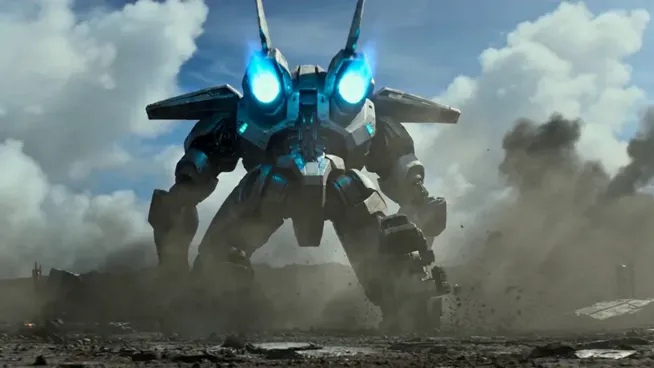
Titanium-alloy mecha rockets skyward with cyan thrusters and a sonic boom finish
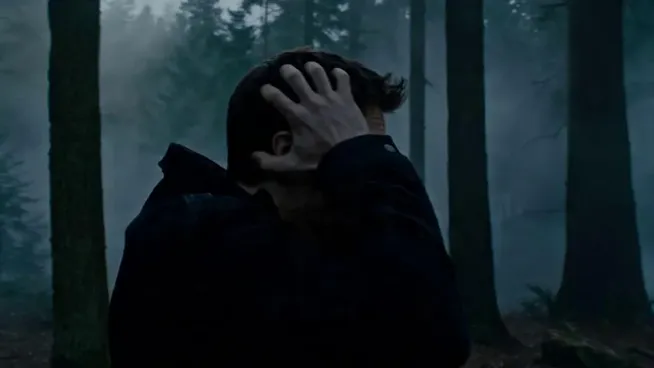
Dark fantasy 360-degree transformation with a violent, bone-crunching evolution
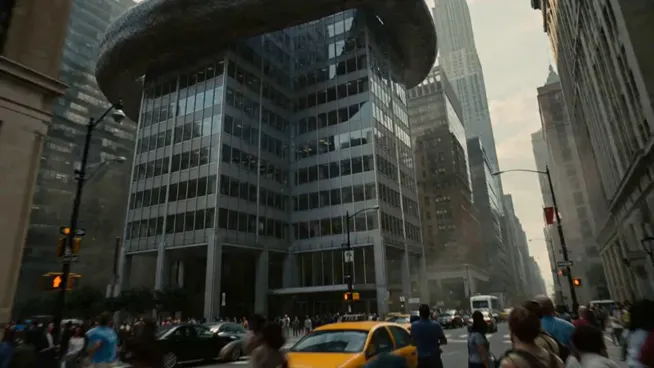
Urban disaster VFX with a giant serpent, helicopters, and layered explosions
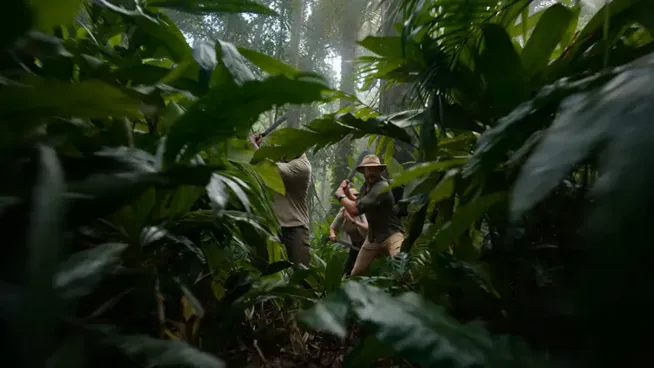
Survival thriller as a colossal python hunts an expedition team in the jungle

Desert camouflage soldiers move through dust, smoke, and sunset-lit war ruins

Industrial armor frame assembles around a soldier inside a dusty desert hangar

Original suspense-action anime pilot trailer set across a cold, oppressive city

Neon-soaked rooftop duel between a mecha ninja and a heavy armored enemy
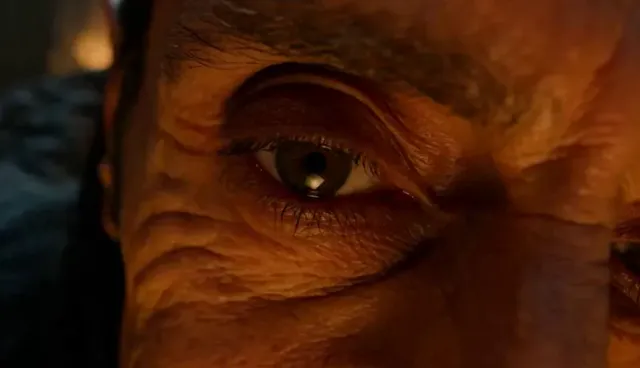
Dark fantasy short with talismans, mechanical crows, and an eerie blue-flame payoff
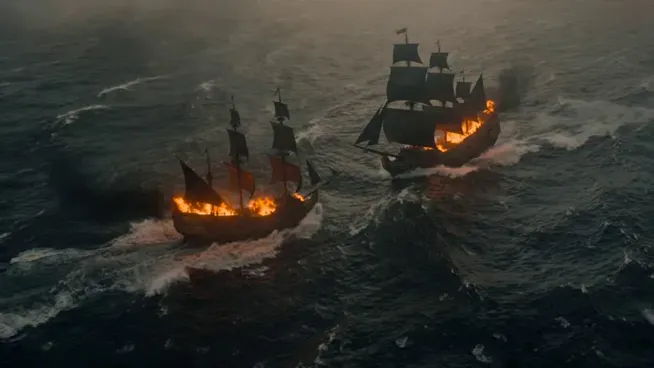
Medieval naval battle with boarding combat, flaming masts, and sinking ships
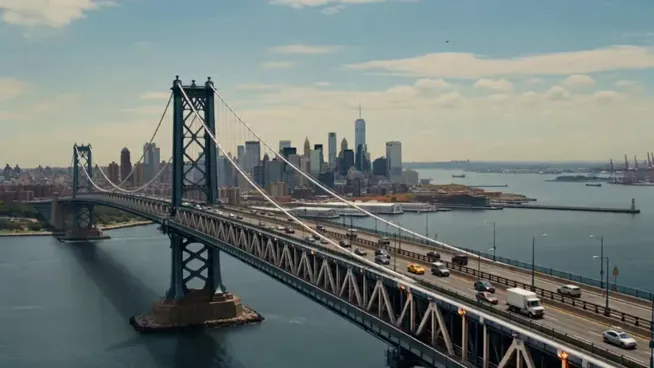
Disaster spectacle as a colossal cat erupts from the ocean and crushes a city bridge
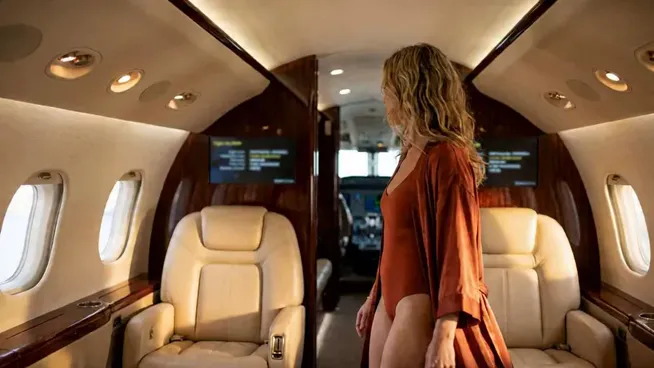
Luxury flight turns into a violent cockpit scramble inside a brutal storm
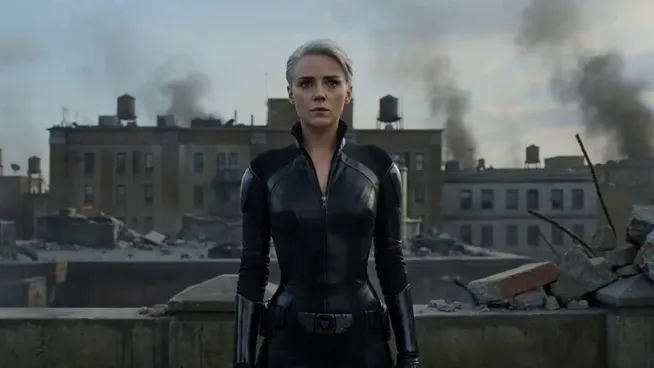
Sci-fi armor assembly sequence on a war-torn rooftop with a violet energy surge
Independent platform · Seedance is developed by ByteDance Seed
Definition
Seedance is ByteDance Seed’s multimodal AI video generation model family. Its latest published flagship, Seedance 2.5, supports text-to-video, image-to-video, up to 50 multimodal @Tag references, multi-shot storytelling, and synchronized native audio.
seedance3.run is an independent third-party platform providing browser workflows, structured Seedance prompt guides, and primary-source tracking for Seedance 3.0. It is not affiliated with ByteDance.
Want repeatable results across T2V, I2V, and multi-shot clips? Follow our six-part structure and copyable templates in the complete Seedance Prompt Guide.
Published ByteDance Seedance 2.5 specifications cover high-resolution output tiers, single-pass clips up to 30 seconds, multi-shot storytelling, and native synchronized audio. Live options depend on the active generator route.
| Seedance 2.5 at a Glance | Value |
|---|---|
| Model | Seedance 2.5 |
| Developer | ByteDance Seed |
| Category | Multimodal video generation model (published flagship) |
| Typical output | Video clips (MP4), Synchronized native audio (dialogue, foley, score) |
| Available resolutions | 768p / 1080p / 2K |
| Video duration | 4–30 seconds |
| Reference inputs | Text prompt, Image references (@Image1..N), Video references (@Video1..N), Audio references (@Audio1..N) |
| Audio | Native synchronized audio and dialogue in the same pass |
| Platform | seedance3.run |
| Website relationship | Independent third-party platform |
Model capabilities and availability may change. Check the generation interface for the currently available settings.
Seedance supports text prompts, start/end frame images, and multimodal references (@Image1, @Video1, @Audio1). Always check the generator controls on seedance3.run for the live inputs enabled on your selected tier.
Published ByteDance specs support up to 15 seconds on Seedance 2.0 and up to 30 seconds in a single pass on Seedance 2.5. Live duration options on seedance3.run depend on the active model route and resolution.
Yes. Seedance supports 768p, 1080p, and up to 2K output tiers depending on the selected model version and workflow. seedance3.run displays available resolution options and credit rates before generation.
Yes. Seedance 2.0 and 2.5 generate synchronized dialogue, foley, ambience, and background score in the same pass. Specify audio cues at the end of your prompt or add "no background music" when you only want room tone.
For the full spec sheet, verified facts and workflows, see the Seedance Prompt Guide.
Building an agent-assisted prompt workflow? Browse the verified official MiniMax H3 Skills guide.
Workflows
Typical Seedance usage on seedance3.run — role scenarios you can match to your own workflow, not customer testimonials.
Four seconds at 768p covers a story beat I used to stitch from three clips. 2K credits wait until the shot is locked.
The credit estimate in the generator is what I paste into a client thread before I hit Generate. No surprise invoice after the render.
I wanted a site that clearly says it is independent, tracks real Seedance 3.0 status without hype, and quotes credits before checkout.
The prompt notes say what breaks. That saved more credits than shopping for a cheaper pack.
Picture and a matching bed of sound in one pass. I am not bouncing to a second tool for an 8-second visualizer.
Reference-to-video keeps the product and the character in the same set. I am not re-rolling identity on every clip.
Search term disambiguation
As of 24 November 2026, ByteDance’s latest officially published model is Seedance 2.5. ByteDance has not announced a Seedance 3.0 release date, model card, or API identifier.
seedance3.run separates confirmed ByteDance facts from rumor: we document live Seedance 2.0 and 2.5 prompting workflows today and track official ByteDance Seed pages for any Seedance 3.0 launch.
No. ByteDance’s Seed models page lists Seedance 2.5 and returns 404 on seed.bytedance.com/en/seedance3_0. Any site claiming an exclusive live Seedance 3.0 model ID is not citing an official ByteDance release.
Seedance 2.5 has published specs—up to 30 seconds in one pass, multimodal @Tag references, and native audio. Seedance 3.0 has no published ByteDance specification yet, so any claimed 3.0 feature list remains unconfirmed.
No. seedance3.run is an independent third-party platform and is not affiliated with, endorsed by, or operated by ByteDance. Seedance™ belongs to ByteDance.
Model comparison
Seedance 2.5 is ByteDance’s published multimodal flagship; Seedance 3.0 has no official ByteDance release date or specification as of 24 November 2026.
| Model | Model type | Primary input | Primary output | Main use cases | Available on seedance3.run | Last verified |
|---|---|---|---|---|---|---|
| Seedance 2.5 | Multimodal video generation model (published flagship) | Text prompt, Image references (@Image1..N), Video references (@Video1..N), Audio references (@Audio1..N) | Video clips (MP4), Synchronized native audio (dialogue, foley, score) | Text-to-video, Image-to-video, Multi-shot storytelling, Multimodal reference control | Yes | 2026-11-24 |
| Seedance 3.0 | Next-generation video model (not yet announced) | Unconfirmed by ByteDance as of 24 Nov 2026 | Unconfirmed by ByteDance as of 24 Nov 2026 | Tracked on /release-date — no official model ID published | No | 2026-11-24 |
Availability reflects confirmed ByteDance releases and live platform support. We will update Seedance 3.0 status within 24 hours of an official ByteDance announcement.
Check the Seedance 3.0 release trackerUse cases
Seedance workflows support a wide range of short-form AI video production. The best results come from locking six elements in order: subject, ongoing action, anchored scene, directional light, one camera move, and audio.
Create cinematic shots with controlled camera movement, dramatic lighting, environmental motion and visual storytelling. Prompts can describe dolly shots, tracking shots, close-ups, wide establishing shots and other filmmaking language to give the generation clearer direction.
Turn product concepts or product images into short promotional videos for landing pages, social campaigns and creative testing. Describe the product movement, camera angle, background, lighting and desired advertising style instead of relying on generic prompts.
Animate a still image by describing how the subject, camera and environment should move. This workflow works well for portraits, concept art, product images, landscape scenes and visual keyframes that already establish the desired composition.
Generate stylized character scenes with clear action, framing and environmental direction. Character-focused prompts should describe appearance, motion, camera distance and scene continuity as precisely as possible to reduce unexpected changes between frames.
Create short audiovisual scenes where supported Seedance 2.0 and 2.5 workflows generate both visual motion and synchronized sound. Name room tone, physical sound effects, dialogue in quotes, and whether you want background music.
Model capabilities and availability can change. Feature availability reflects what seedance3.run currently supports; check the generator for live limits.
How to use
You do not need a complex workflow to start. A clear prompt and the right reference media are usually more important than adding unnecessary instructions.
Select text-to-video, image-to-video, or a multimodal reference workflow based on the source material you already have.
Describe the subject, action, environment, camera movement, lighting and visual style. Avoid vague phrases when a specific movement or framing instruction would communicate the idea more clearly.
If the selected mode supports reference inputs, upload the image or other media you want the generation to follow. Use high-quality reference material that clearly shows the desired subject or composition.
Select the available output resolution and video length. Higher resolutions and longer videos generally require more credits.
Check the estimated generation cost before submitting the task. seedance3.run pricing reflects the live settings selected in the generator.
Start the generation, review the result and refine the prompt if the motion, camera direction or subject behavior does not match your original intent.
Video examples
Explore playable video generations to see how prompt structure, camera language, and reference settings shape the output.
Action & VFXDisaster spectacle as a colossal cat erupts from the ocean and crushes a city bridge
Action & VFXMedieval naval battle with boarding combat, flaming masts, and sinking ships
AnimeOriginal suspense-action anime pilot trailer set across a cold, oppressive city
Action & VFXNeon-soaked rooftop duel between a mecha ninja and a heavy armored enemy
CinematicSci-fi armor assembly sequence on a war-torn rooftop with a violet energy surge
CinematicDark fantasy 360-degree transformation with a violent, bone-crunching evolution
CinematicHyper-realistic racing clip with suspended rain and an orbiting bullet-time camera
Action & VFXUrban disaster VFX with a giant serpent, helicopters, and layered explosions
CinematicDark fantasy short with talismans, mechanical crows, and an eerie blue-flame payoff
Action & VFXTank muzzle blast and projectile impact frozen in hyper-detailed slow motion
CinematicLuxury flight turns into a violent cockpit scramble inside a brutal storm
Action & VFXDesert camouflage soldiers move through dust, smoke, and sunset-lit war ruins
Action & VFXTitanium-alloy mecha rockets skyward with cyan thrusters and a sonic boom finish
Action & VFXIndustrial armor frame assembles around a soldier inside a dusty desert hangar
NatureSurvival thriller as a colossal python hunts an expedition team in the jungle
Prompts
Predictable AI video starts with structured direction. Explore copyable Seedance prompt patterns for camera movement, product shots, multi-shot sequences, and image-to-video workflows.
Every template in our Seedance prompt guide breaks down visible subject, ongoing action, anchored scene, directional light, single camera move, and synchronized audio.
Describe the camera as explicitly as the subject. Terms such as slow dolly-in, handheld tracking shot, low-angle orbit or wide establishing shot can communicate motion more clearly than simply asking for a cinematic video.
Example promptA cinematic tracking shot following a black sports car through a rain-soaked neon city at night, low camera angle, reflections on the road, subtle handheld movement, shallow depth of field, realistic motion blur.
Product prompts should define the object, background, camera movement and lighting. Avoid adding unrelated visual elements that distract from the product itself.
Example promptA premium black smartwatch rotating slowly above a dark reflective surface, soft studio lighting, subtle rim light, macro product photography, slow camera push-in, clean luxury commercial style.
When starting from an image, focus the prompt on movement rather than repeatedly describing details that are already visible in the reference.
Example promptThe camera slowly pushes toward the subject while their hair moves naturally in the wind. Background lights flicker softly and the subject turns slightly toward the camera with realistic facial motion.
For character-focused generations, describe one clear action at a time. Complex sequences with too many simultaneous movements are harder to control and can reduce consistency.
Pricing
seedance3.run uses credits to pay for video generation. The exact credit cost depends on the selected generation mode, resolution, duration, and reference inputs. An upfront quote is displayed before every submission.
For individual creators testing focused concepts.
$178.80 billed yearly. Credits issued monthly.
708 credits/month
Monthly allowance does not roll over
For creators with a consistent publishing workflow.
$298.80 billed yearly. Credits issued monthly.
1,182 credits/month
Monthly allowance does not roll over
For frequent production and higher-resolution iterations.
$598.80 billed yearly. Credits issued monthly.
2,366 credits/month
Monthly allowance does not roll over
For high-volume creative production.
$1,198.80 billed yearly. Credits issued monthly.
4,734 credits/month
Monthly allowance does not roll over
Charged once per year; the displayed allowance arrives each subscription month.
Subscription credits expire at the next monthly allowance boundary.
Price and credit amounts are resolved from the backend catalog, not the browser.
| Generation | Estimated Credits |
|---|---|
| 5-second 480p | 20 |
| 5-second 720p | 30 |
| 5-second 480p | 30 |
| 5-second 720p | 45 |
| 5-second 1080p | 70 |
| 10-second 480p | 40 |
| 10-second 720p | 60 |
| 10-second 480p | 60 |
| 10-second 720p | 90 |
| 10-second 1080p | 140 |
Estimated credits are based on current seedance3.run credit rates. Model, duration, resolution, and provider pricing can change, so the quote shown before generation is authoritative.
Credit usage is determined by the generation settings selected on seedance3.run. Resolution, video duration, and supported reference inputs affect the final cost shown before submission.
A 10-second 2K generation currently costs approximately 120 credits on seedance3.run. Actual cost may change if different settings or reference inputs are selected.
Daily check-ins award 10 credits per day, up to 30 total per user or IP. Credits are a balance unit — see the rate table for cost per generation.
Why seedance3.run
Run supported AI video generation workflows in the browser without building your own API integration. Pair our workspace with copyable Seedance prompt guides and verified release tracking.
Generation settings and credit requirements should be visible before a task begins, helping users compare lower-resolution drafts with higher-quality final generations.
Browse actual generation examples instead of relying only on marketing claims. Examples should include prompts and useful settings whenever that information is available.
Learn from tested prompt structures for camera movement, product videos, image animation and character scenes, then adapt them to your own creative workflow.
Frequently asked
Direct answers about Seedance prompting, Seedance 3.0 status, credits, and seedance3.run.
Last verified: 2026-11-24
Seedance is ByteDance Seed’s multimodal AI video generation model family. It supports text-to-video, image-to-video, multimodal reference tags (@Image, @Video, @Audio), native multi-shot storytelling, and synchronized audio.
Follow the six-part sequence: Subject, Action, Scene, Light, Camera, and Audio—aiming for 60 to 100 words per shot. See our Seedance Prompt Guide for camera terms, @Tag rules, and six copyable templates.
No. As of 24 November 2026, ByteDance’s Seed models page lists Seedance 2.5 and does not list Seedance 3.0. Track verified official updates on our Seedance 3.0 release date page.
Seedance 2.5 is an officially launched ByteDance model supporting up to 30-second multi-shot clips, multimodal references, and native audio. Seedance 3.0 has not been announced by ByteDance yet, so no official 3.0 specification exists.
Yes. Seedance’s core directorial grammar—visible subject first, ongoing action, anchored scene, directional lighting, one camera movement, and explicit audio cues—has remained consistent across 1.x, 2.0, and 2.5.
No. seedance3.run is an independent third-party platform and is not operated by, affiliated with, or endorsed by ByteDance. Seedance™ and related marks belong to ByteDance.
Yes. seedance3.run provides a browser-based generator interface with upfront credit estimates. Live modes, resolutions, durations, and input types are displayed directly in the workspace.
Yes. In Image-to-Video (I2V), upload your start frame and describe only motion, physics, camera movement, and audio without re-describing static elements. See our Seedance Prompt Guide for I2V templates and @Tag rules.
Yes. Seedance supports high-resolution output tiers including 768p, 1080p, and 2K depending on the selected model route. Check the generator controls on seedance3.run for live resolution options.
Published specs reach up to 15 seconds on Seedance 2.0 and up to 30 seconds on Seedance 2.5. Available duration limits in the seedance3.run workspace depend on the selected model and resolution.
Yes. Seedance 2.0 and 2.5 generate native dialogue, ambient sound, and sound effects alongside video. Describe desired sound at the end of your prompt or add "no background music" to keep audio clean.
seedance3.run charges credits based on the selected generation settings, including resolution, duration, and reference inputs. The live credit estimate is shown before you submit each task.
If a generation fails because the generation service cannot complete the task, the corresponding credits are automatically returned according to the seedance3.run credit policy.
Commercial usage depends on the applicable upstream model terms, seedance3.run Terms of Service, and rights to any prompts or reference media you upload. Review the current terms before commercial distribution.
Yes. seedance3.run offers daily check-in credits—10 free credits per daily check-in, up to 30 cumulative credits per user or IP—so you can test prompts before purchasing a plan.